A White-Label AI Itinerary Builder for Your Destination
Your visitors plan their trip on your website, in your brand, with your local knowledge. Here's exactly how it works.
What "White-Label" Actually Means
When a visitor lands on your AI trip planner, they see your destination's name, your colors, and your photography. The experience feels like a natural extension of your website because, from the visitor's perspective, it is.
This isn't a generic widget or an embedded chatbot. The entire interface, from the first question to the final itinerary, is built around your destination's identity.
Your colors, logo & look
Trained on your destination
Right business, right traveler
Speaks like your place
The Visitor Experience, Step by Step
Every visitor follows the same simple path. No apps to download. No learning curve. Six quick questions, then a complete trip plan built around how they actually want to travel. Here's the real product, live in our Branson, MO deployment.
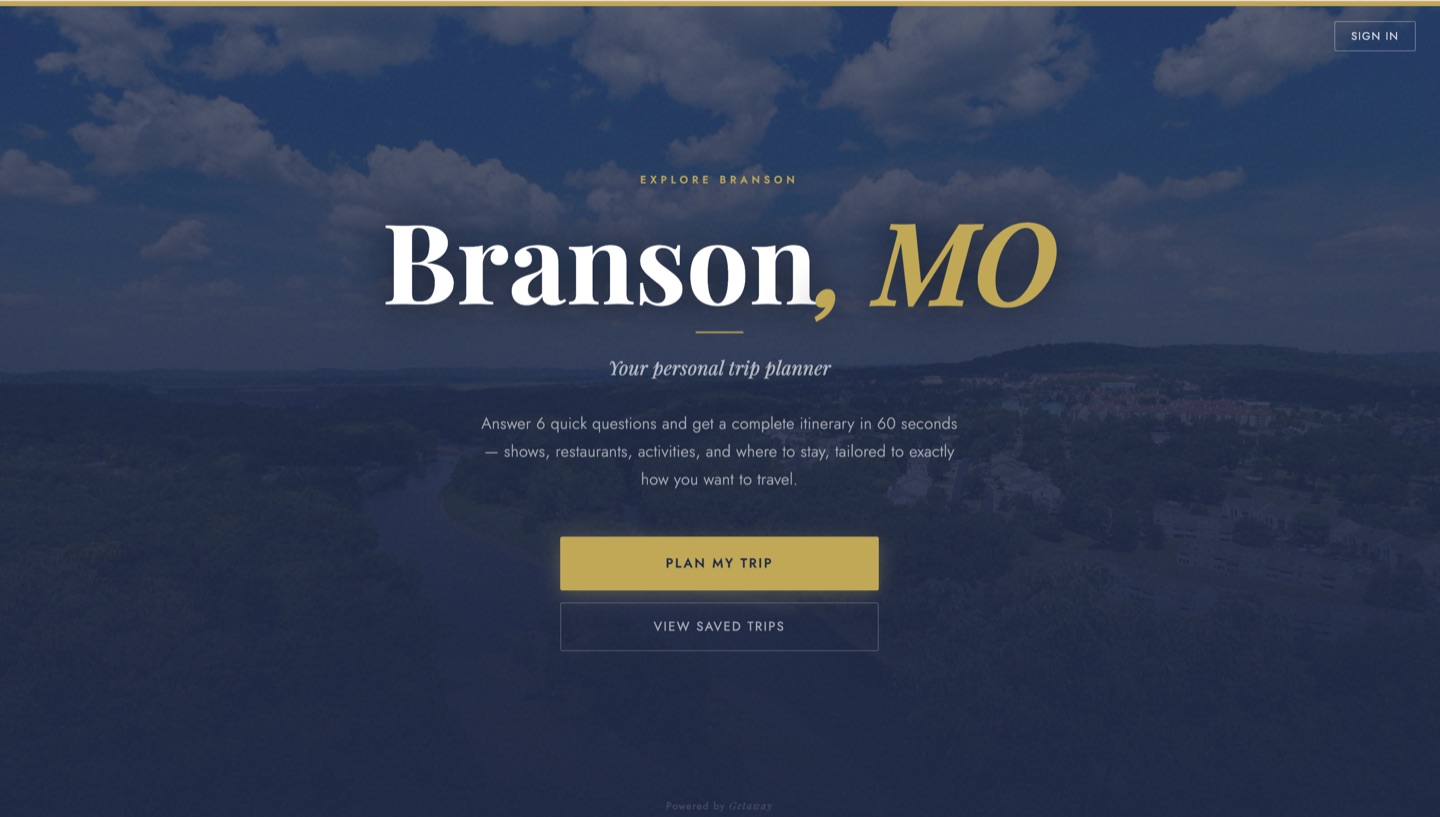
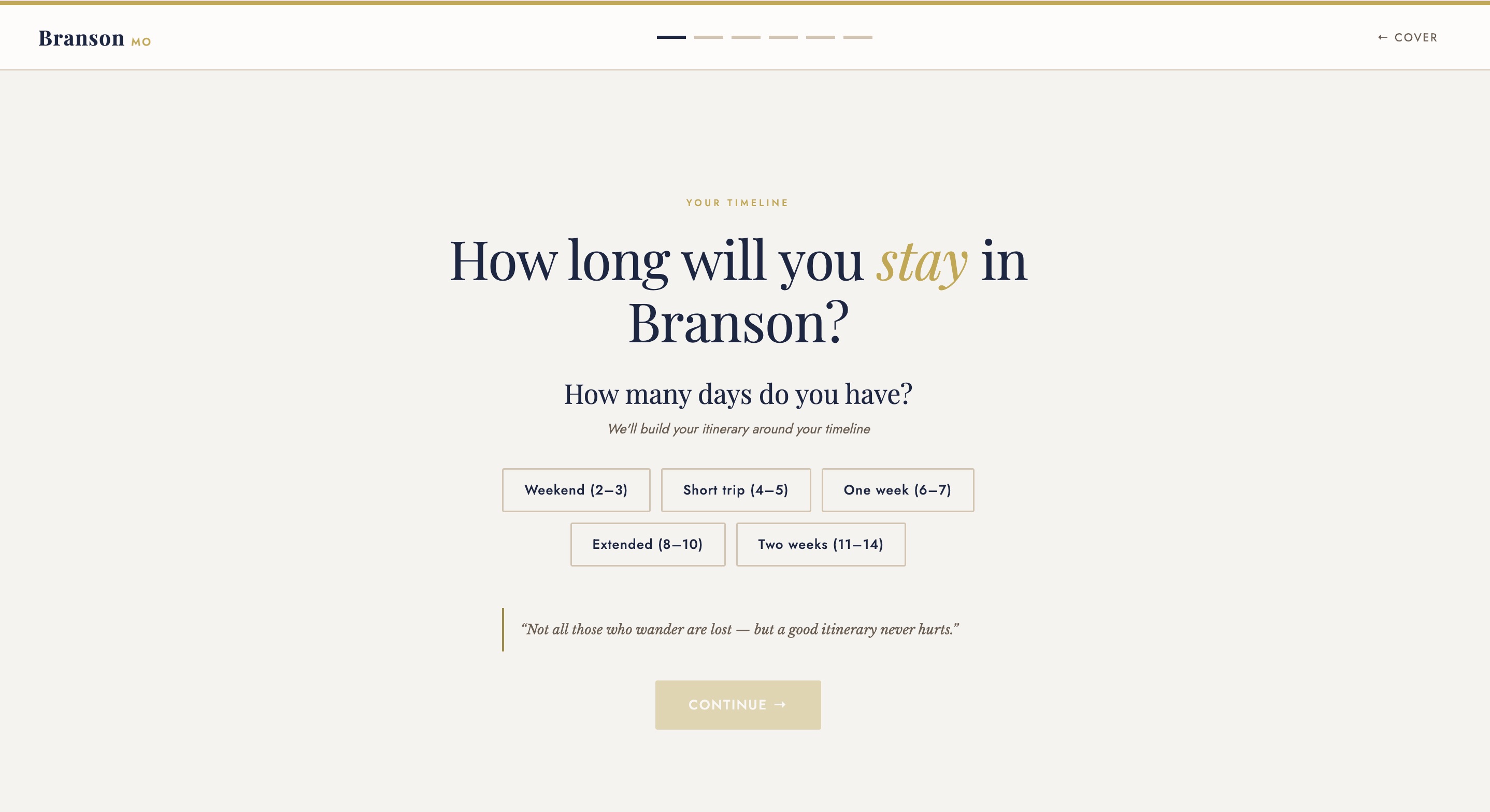
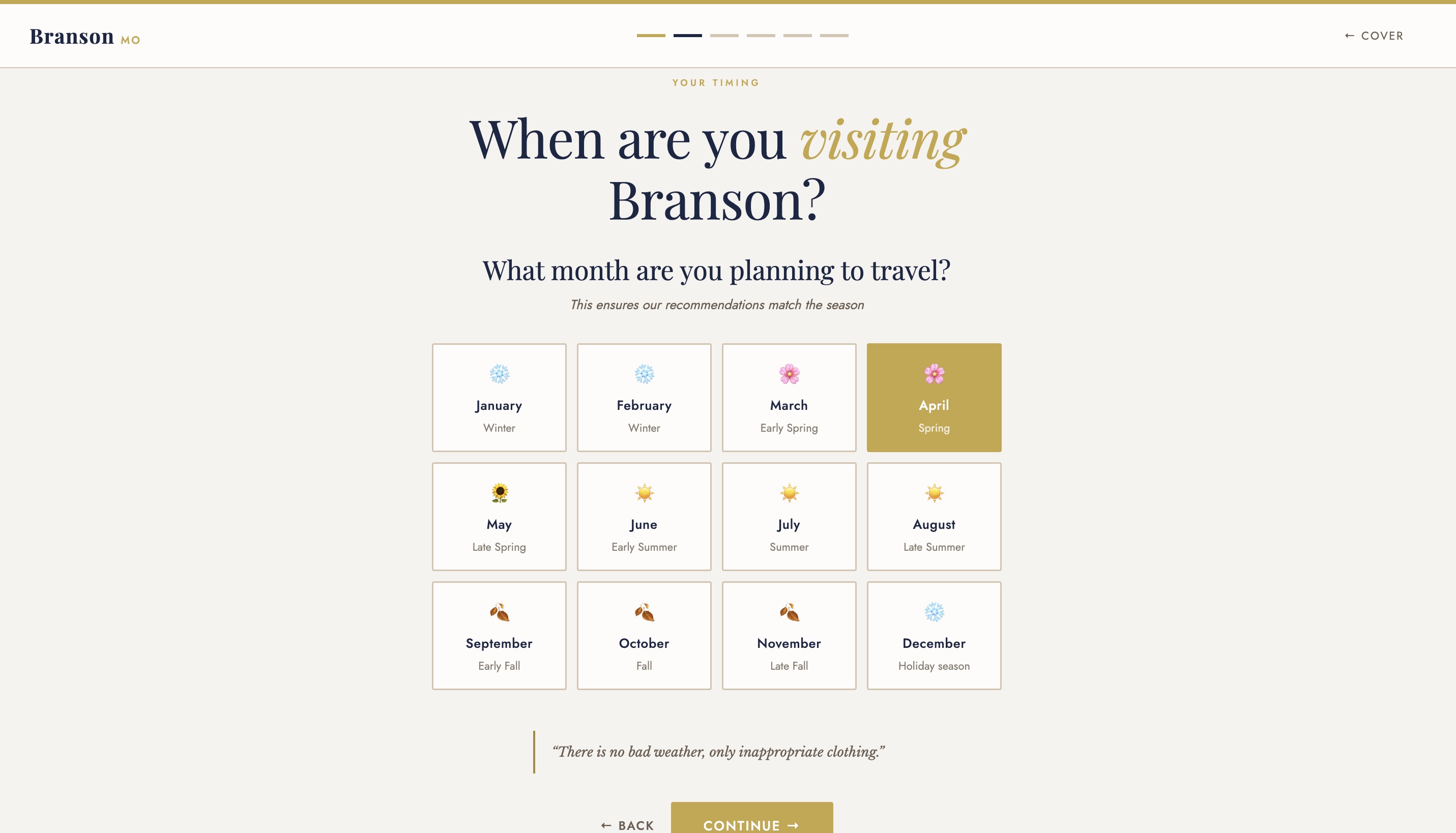
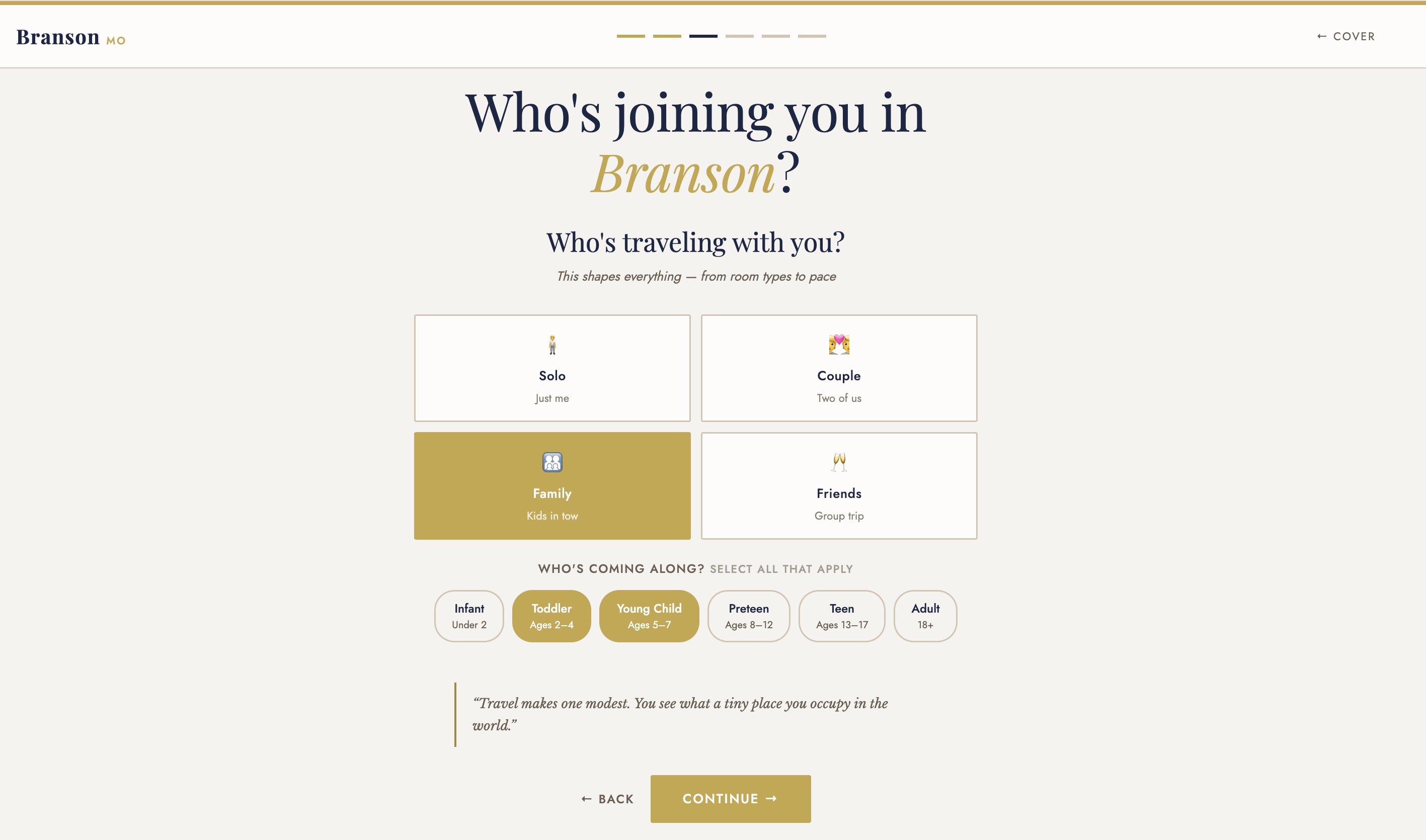
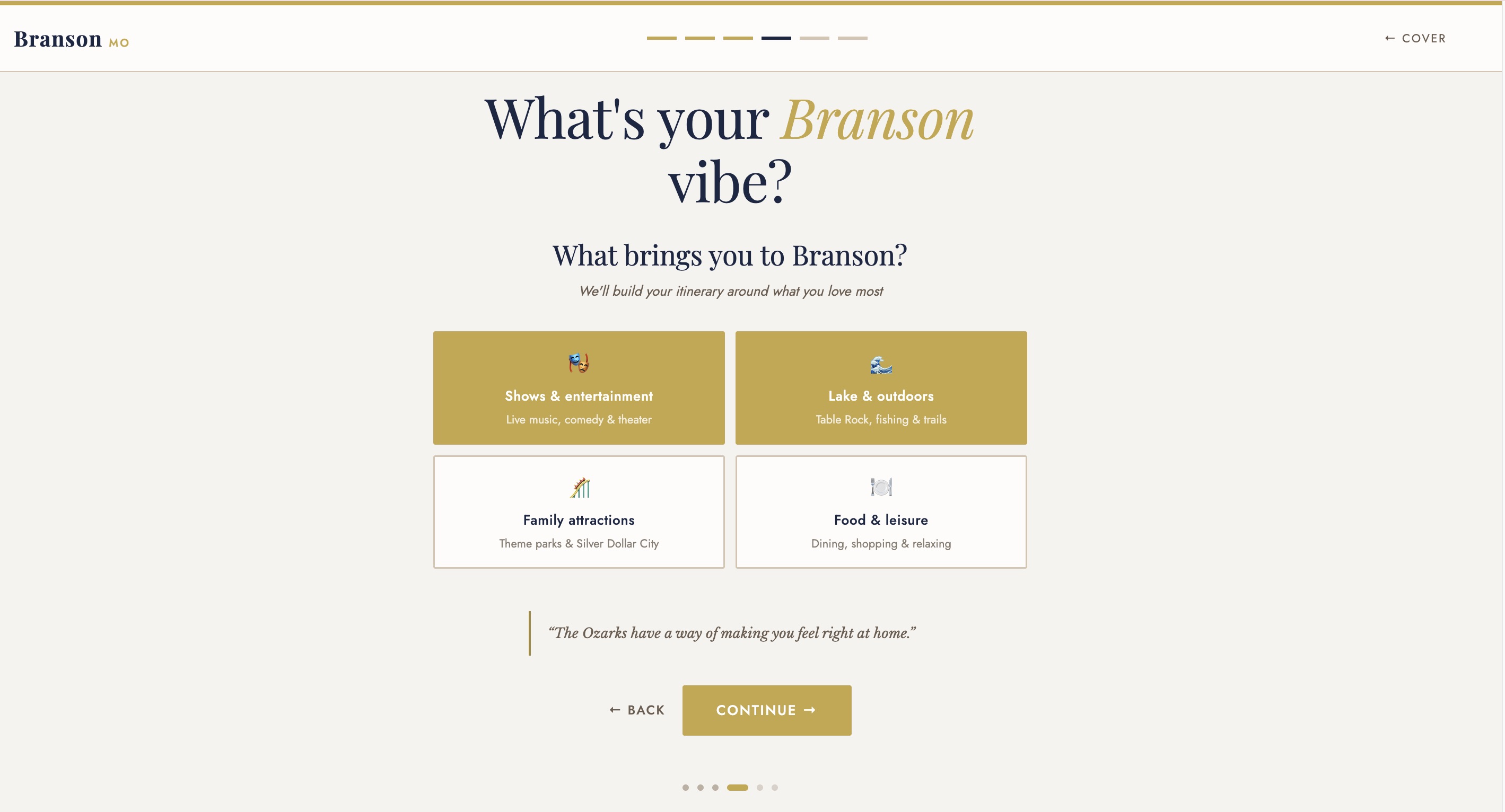
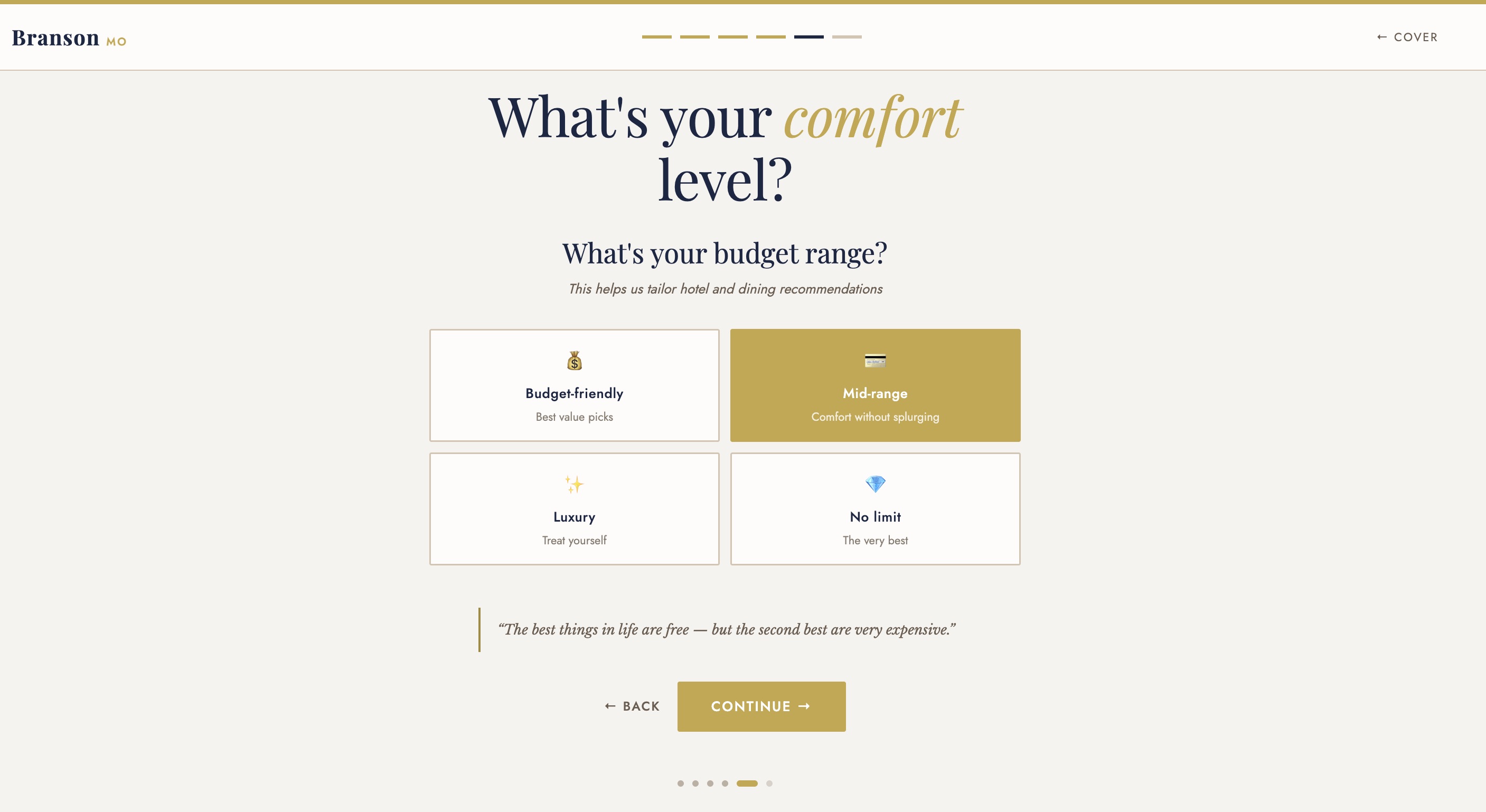
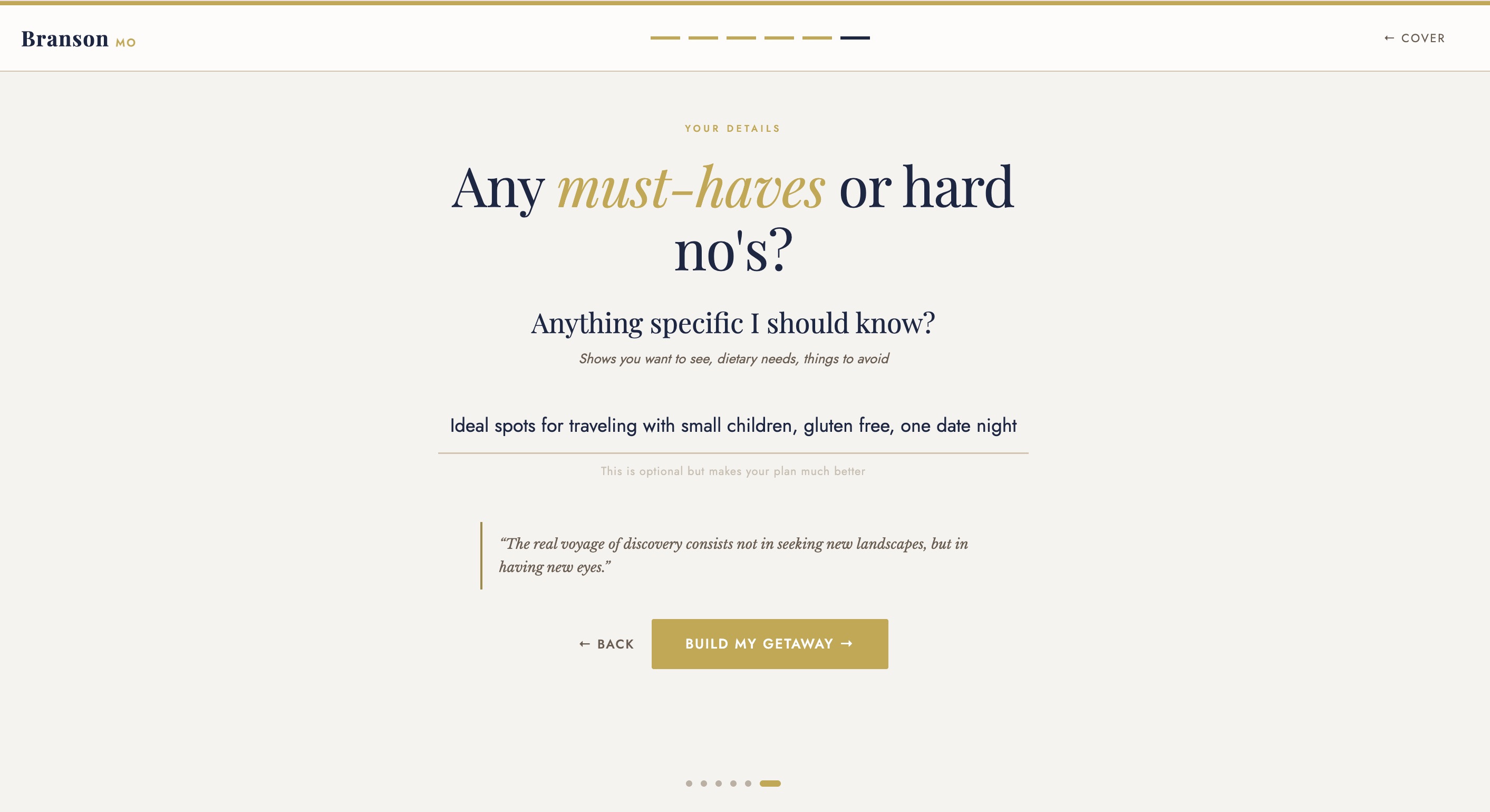
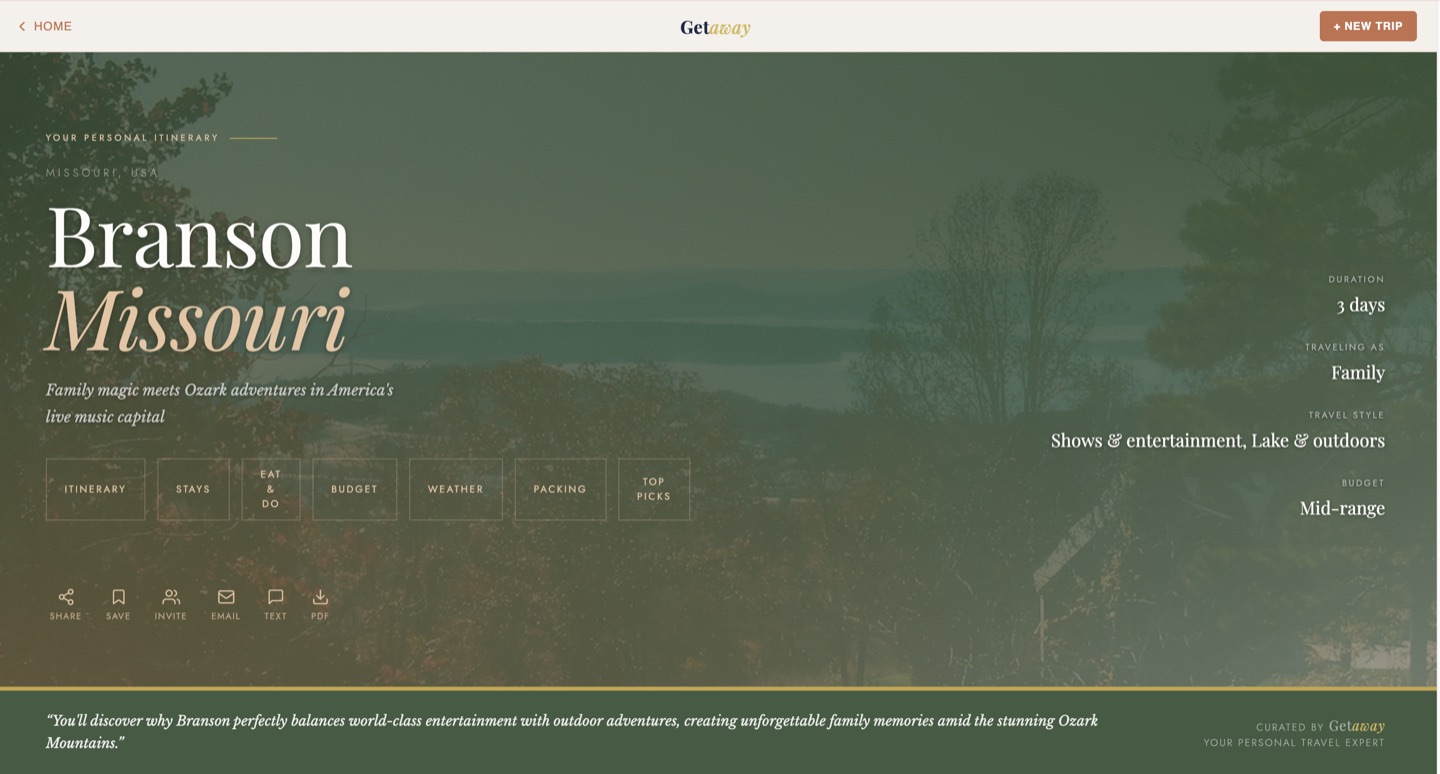
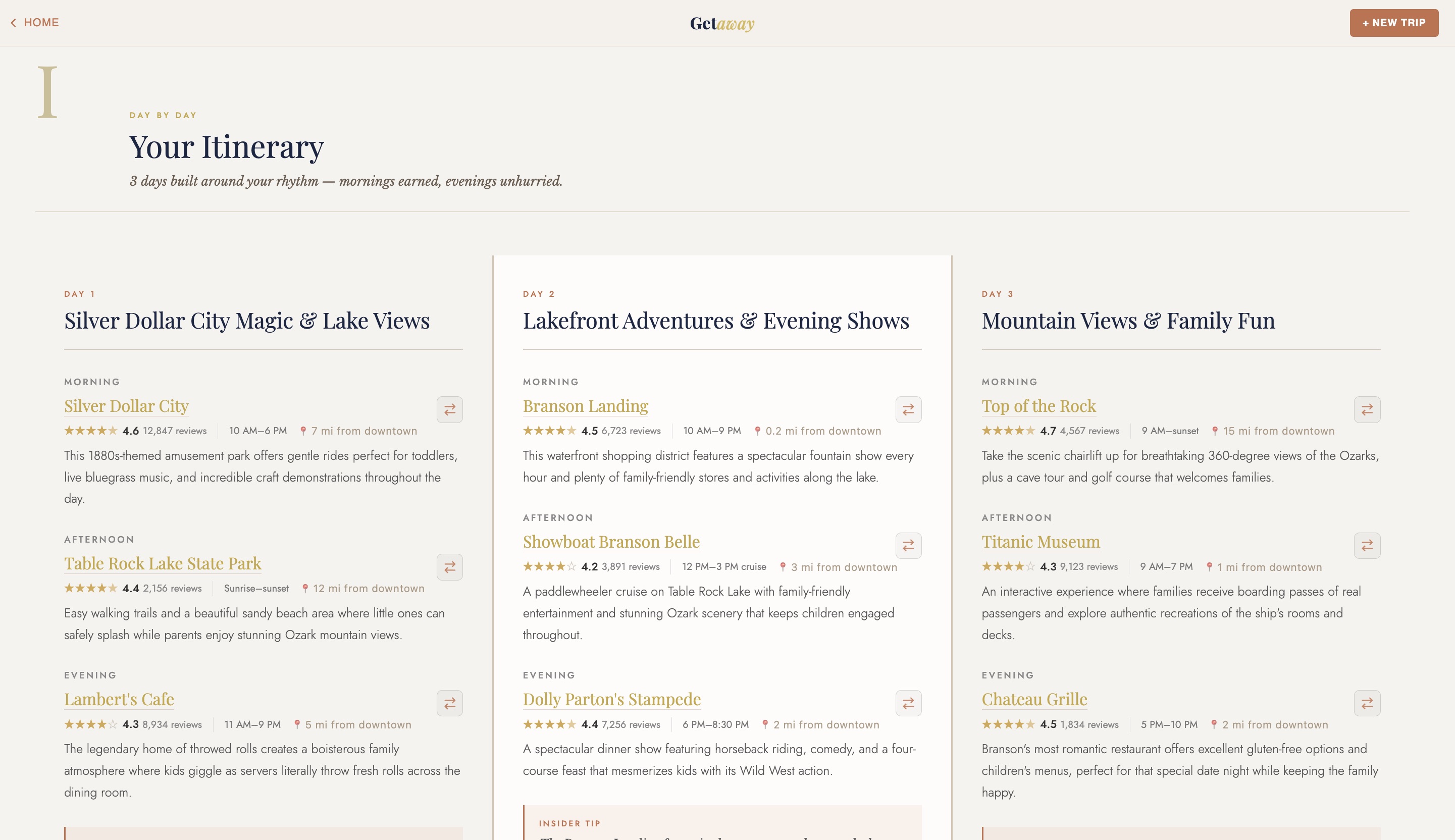
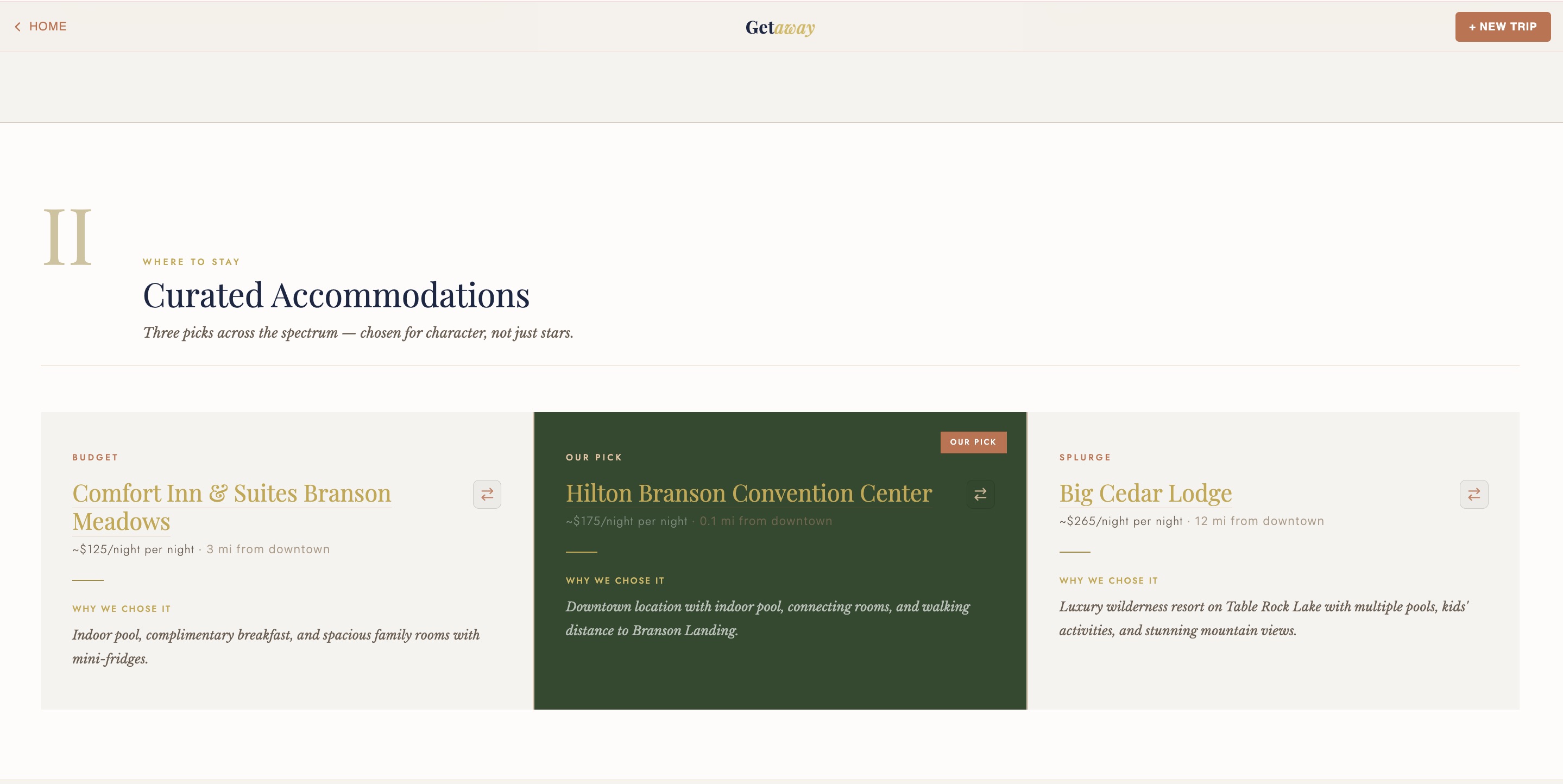
The visitor lands on a fully branded experience matching your destination's identity.
Each question captures first-party visitor data your organization has never had access to before: where they're from, when they're coming, who they're with, what they care about, and how much they want to spend. Every answer is data you own.
The average visitor spends 10-15 minutes interacting with the AI trip planner. Compare that to 25-40 seconds on a static "things to do" page. That's not a small improvement. That's a fundamentally different relationship with your visitor.
What Your Organization Gets Back
Every itinerary interaction generates first-party visitor data that your organization owns completely. This isn't analytics. This is visitors voluntarily telling you exactly what they want from your destination.
This data feeds directly into grant reporting, board presentations, and marketing strategy. "We generated 2,400 personalized trip plans last quarter, 38% from families within a 4-hour drive" is a fundamentally different story than "we had 12,000 page views."
For a deeper look at how this data strategy works, see First-Party Data: The Hidden Value of AI Itinerary Tools.
How It Deploys on Your Website
There's no IT project. No CMS migration. No developer on your end. The white-label AI itinerary builder lives at its own URL and connects to your existing website however works best for your team.
Works with Simpleview, WordPress, Squarespace, and any other CMS. If your website can link to a URL, it can connect to your AI itinerary builder. For more on how this complements your existing tech stack, see the FAQ.
What Keeps It Accurate
A white-label AI itinerary builder is only useful if visitors can trust the recommendations. Generic AI tools like ChatGPT pull from whatever data they were last trained on. They recommend restaurants that closed six months ago. They invent menu items. They miss seasonal context entirely.
Getaway's AI is built with guardrails that prevent these problems:
No fabrication. The AI recommends by category and local reputation rather than inventing specific details it can't verify. It won't make up a restaurant's hours or describe a dish that doesn't exist.
Seasonal awareness. The AI knows which activities are available in January vs. July. It won't recommend kayaking on a frozen lake or suggest an outdoor concert series that ended in September.
Continuous updates. When your destination changes, a restaurant closes, a new trail opens, an event moves dates, we update the deployment. Your visitors always get current information.
Local knowledge, not web scraping. The AI is trained on verified destination information, not scraped review sites. This is the same difference between asking a well-informed local and asking someone who skimmed a few blog posts.
From Conversation to Live Product
The entire path from first conversation to live deployment typically takes two weeks or less. There's no long agency engagement, no six-month roadmap, and no technical prerequisites on your end.
Day 1: We talk about your destination, your visitors, and what matters most to your organization.
Days 2-5: We build a fully functional, branded deployment at a custom URL. This isn't a mockup. It's a working trip planner trained on your destination.
Days 6-10: You review the deployment, give feedback, share it with your team. We refine until it accurately represents your destination.
Day 14: Live on your website. Visitors start planning trips and you start collecting data.
See the product live.
Our Branson, MO deployment is fully functional. Plan a real trip, see the visitor experience, and decide if this is the right fit for your destination.
Try the Live Demo →